
- Published on
TikTok Live Studio vs. OBS: The 2026 Reality Check
- Authors

- Name
- Robin
The "Easy Button" Trap
Every new TikTok streamer faces the same crossroads:
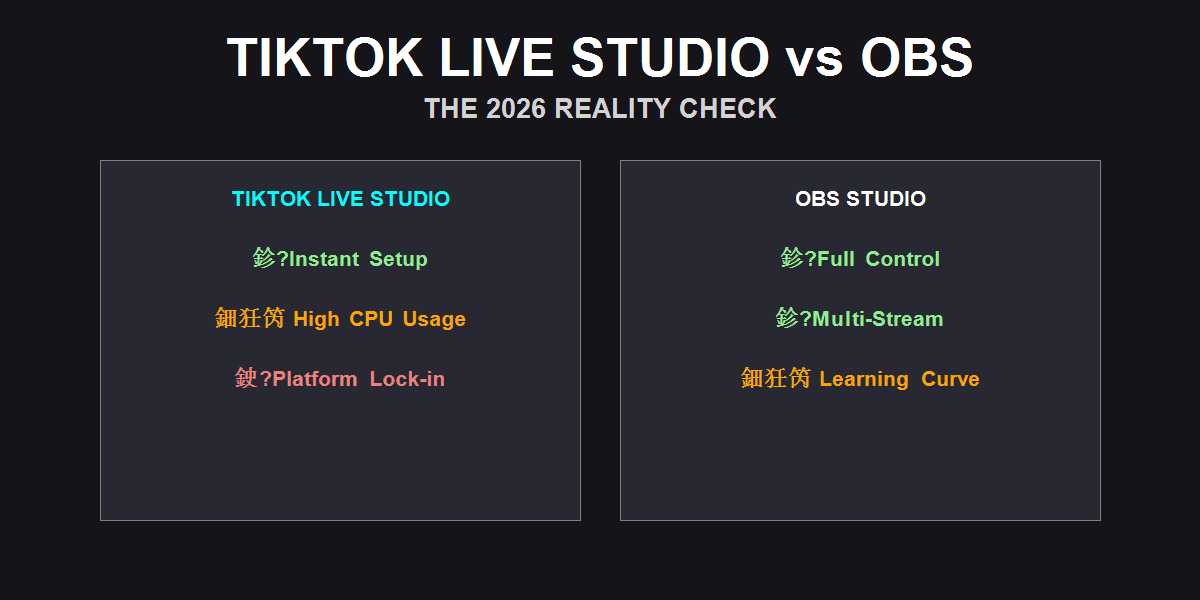
- TikTok Live Studio (TTLS): The official app. Logs in with one click. "Just works."
- OBS Studio: The industry standard. Looks like a spaceship control panel. Requires a Stream Key (which you might not have yet).
In 2026, TikTok Live Studio has improved massively. It has better overlays, "interactive" features, and fewer bugs than the beta days.
But it is still a trap for growing creators.
Why? Because "ease of use" comes at a massive cost: Performance and Freedom.
Diagnostic: Which One Fits You?
Before we argue about bitrates, let's look at your actual situation.
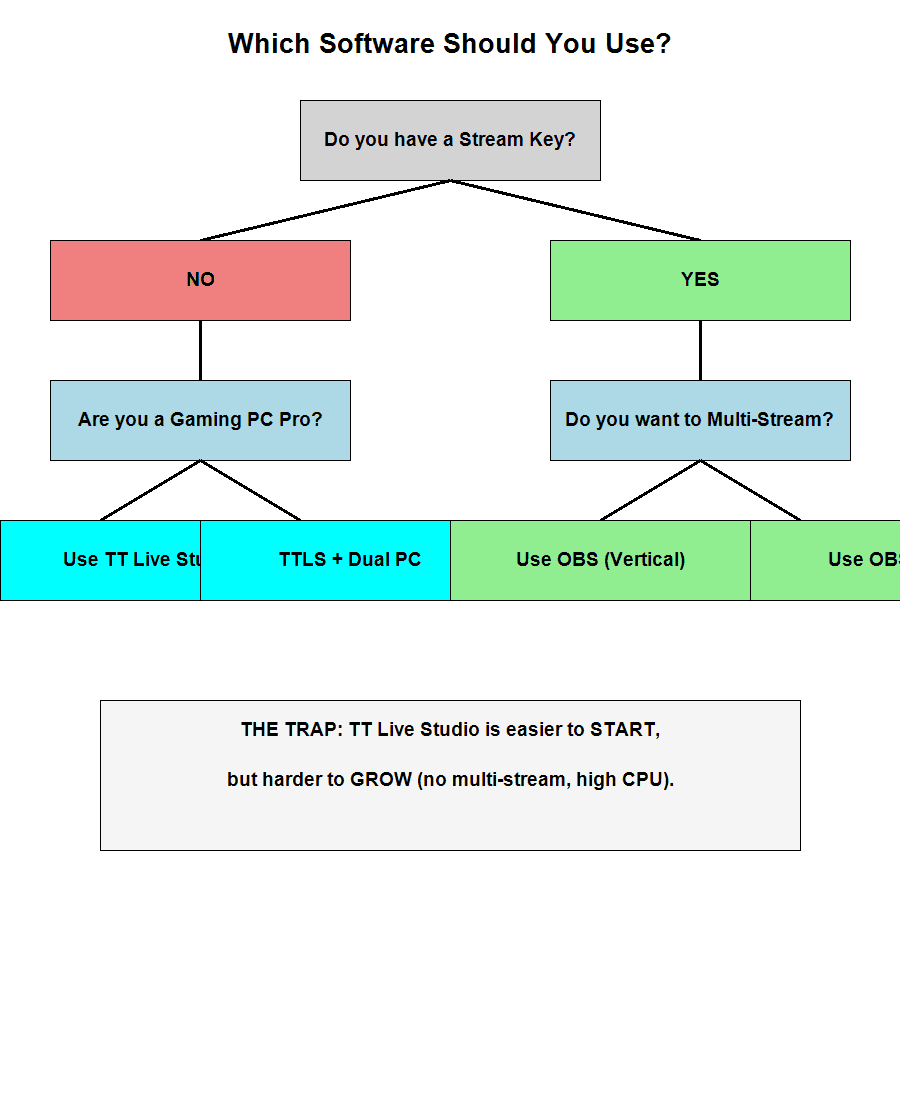 Figure 1: If you don't have a Stream Key, you have no choice. If you do, you have a responsibility to switch.
The Stream Key Gatekeeping
The biggest factor isn't technical; it's political. TikTok gates the Stream Key (RTMP URL) behind follower counts or agency access.
- No Stream Key? You MUST use TikTok Live Studio. End of discussion.
- Have a Stream Key? You are crazy if you keep using TTLS.
The 3 Reasons OBS Wins (Eventually)
1. The CPU/GPU Tax
TikTok Live Studio is an Electron-based app (like running a heavy Chrome tab) wrapped around a streaming engine. It is notoriously inefficient.
- TTLS: Consumes 15-25% of your GPU just to exist.
- OBS: Can run on a toaster if tuned correctly (3-5% usage).
If you are gaming on the same PC you stream from, TTLS will steal FPS from your game. OBS respects your hardware.
2. The Multi-Stream Wall
This is the dealbreaker in 2026. You cannot grow on TikTok alone. You need to be on YouTube Shorts, Twitch, or Instagram Live simultaneously.
- TTLS: Locked to TikTok. You cannot stream anywhere else.
- OBS: With the Aitum Vertical plugin, you can stream to TikTok, YouTube, and Twitch at the same time with one canvas.
3. Audio & Plugin Freedom
Want to use VST plugins to make your mic sound like a studio broadcast? OBS does that. Want to use a Stream Deck to change scenes instantly? OBS does that natively. TTLS is a "walled garden." You can only use what they give you.
Feature Comparison Matrix
Here is the raw data for 2026:
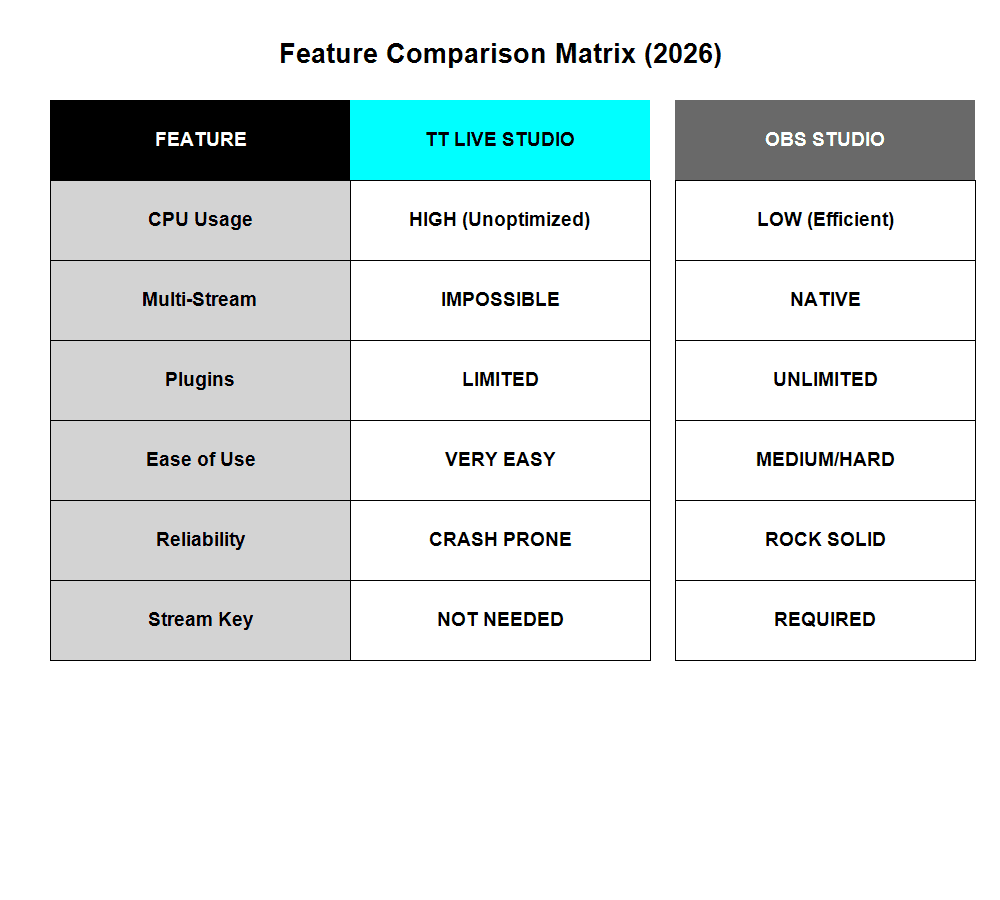 Figure 2: OBS wins on every metric except "Ease of Setup."
The Hybrid Solution (Dual PC)
If you have a Dual PC setup (one for gaming, one for streaming), TTLS becomes viable again. Since it runs on the second PC, its high CPU usage doesn't hurt your gaming FPS.
- Gaming PC: Runs game + NDI/Capture Card.
- Streaming PC: Runs TikTok Live Studio.
This is the only scenario where I recommend TTLS for serious creators who have a Stream Key but prefer the TTLS "interactive" features (like native gift alerts that actually work without 3rd party tools).
Conclusion: The Upgrade Path
Start with TikTok Live Studio because you have to. It gets you live. It gets you followers.
But the moment you unlock that Stream Key: Switch to OBS.
The learning curve is 3 days of frustration for 3 years of freedom. Do not build your empire on rented land that you can't control.