
- Published on
TikTok Live Chat Delayed or Missing? (Bug vs Normal Latency 2026)
- Authors

- Name
- Robin
TikTok Live Chat Delayed or Missing? (Bug vs Normal Latency 2026)
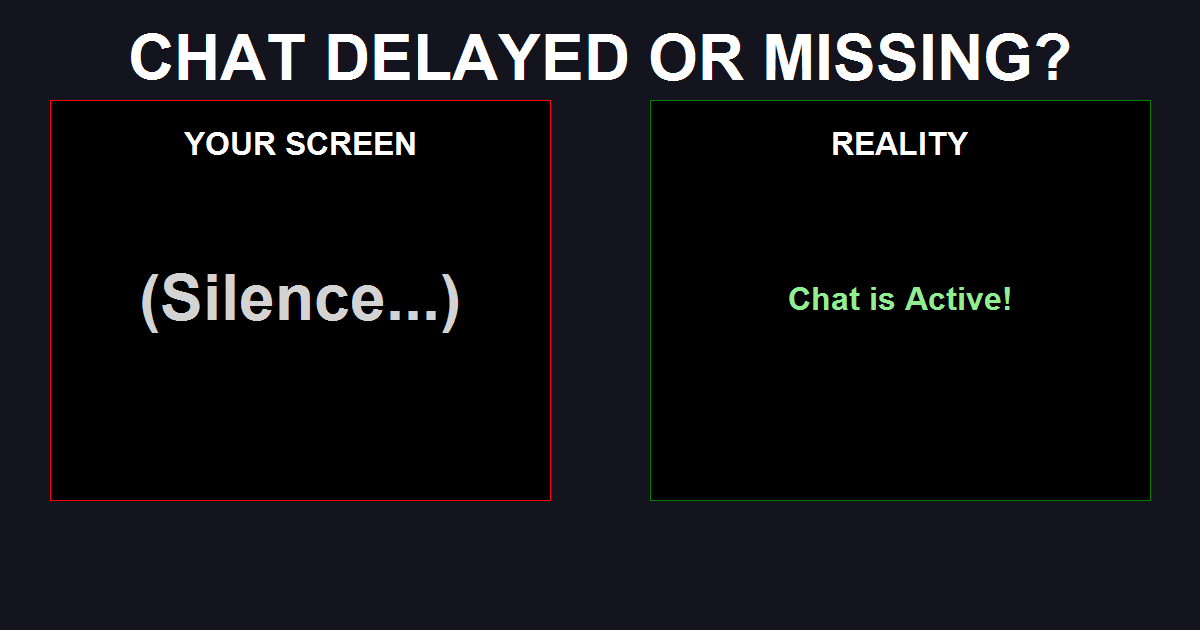
If your chat seems dead or delayed, it's usually normal latency (10-15s) or TikTok's aggressive spam filter.
Quick Check:
- Latency: Open your own stream on a phone (mute it). If you see chat there before OBS, it's just delay.
- Ghost Chat: If viewers say "I typed hello" but you see nothing, TikTok's AI shadowbanned their comment (not them).
- OBS Bug: If the OBS dock is frozen, refresh the browser source.
The "Ghost Chat" Panic
You're 20 minutes into a stream. The viewer count says "200 viewers." You ask a question.
Silence.
You ask again. "Can anyone hear me?"
Silence.
Then, five messages appear all at once, or worse—a regular viewer DMs you on Discord: "Why are you ignoring me? I've been typing for 10 minutes."
This is the TikTok Live Sync Gap. Unlike Twitch, which prioritizes chat speed, TikTok prioritizes video stability for mobile data. This creates a massive disconnect between what you see and what they see.
Diagnostic: Where Did the Message Go?
Before you reinstall OBS, understand where the breakdown happens. It is rarely your internet speed.
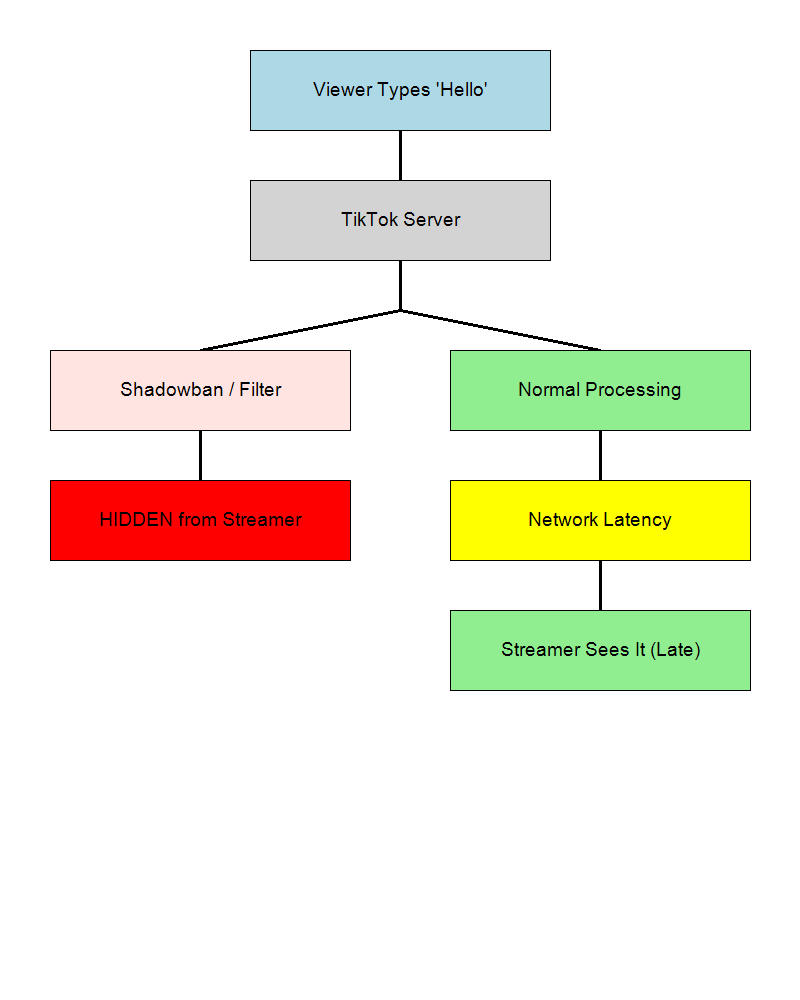
The Flow of a Lost Message:
- Viewer Types: They hit send. It appears instantly on their screen.
- TikTok Server (The Gatekeeper):
- Filter Check: Does the message contain "follow," "money," or a banned word? If YES: It is deleted. The viewer still sees it, but you never will.
- Spam Check: Did they type too fast? If YES: Temporary mute.
- Delivery to Streamer:
- Mobile App: Delivers relatively fast (3-5s delay).
- Web/OBS: Delivers slower (10-15s delay).
Scenario 1: The "15-Second Time Travel" (Normal)
If you are streaming via TikTok Live Studio or OBS (via stream key), you are technically "in the future."
- You speak: "Hello?" (Time: 00:00)
- Server Processes Video: Encodes for mobile. (Time: 00:05)
- Viewer Sees Video: They hear "Hello?" (Time: 00:10)
- Viewer Types: "Hi!" (Time: 00:12)
- Chat Server Processes: Sends to your OBS dock. (Time: 00:13)
- You See Chat: "Hi!" (Time: 00:15)
The Result: You feel ignored for 15 seconds after every question. The Fix: Stop waiting for instant replies. Keep talking. By the time you see the answer, you should be on the next topic.
Scenario 2: The "Shadowbanned Comment" (The Silent Killer)
TikTok has the most aggressive chat AI in the industry. It hides comments silently.
Common Triggers for "Missing" Chat:
- "Follow me": Instant hide.
- "DM me": Instant hide.
- Repetitive Emojis: If a viewer spams 5 emojis, the AI often hides the whole block.
- All Caps: Often flagged as aggression.
Test It: Ask a trusted mod to type "Test message regular text." If that comes through, but "Follow for follow" doesn't, your chat is working—your viewers are just triggering the filter.
Comparison: Which Chat Source is Fastest?
If you are a gaming streamer, you have choices on how to read chat.
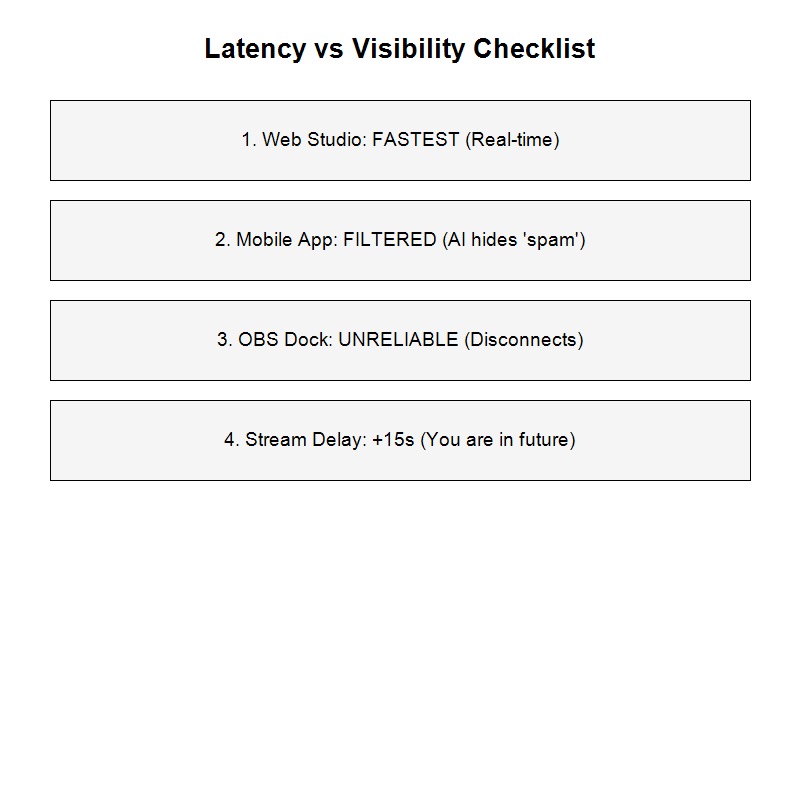
- TikTok Web Studio (Browser):
- Speed: Fastest for PC users.
- Pros: Shows system messages (New Follower, Gifter) clearly.
- Cons: Takes up monitor space.
- Phone (Watcher Mode):
- Speed: Moderate.
- Pros: Shows exactly what viewers see (including lag).
- Cons: Drains battery, hard to read while gaming.
- OBS Custom Dock:
- Speed: Slowest.
- Pros: Integrated into your dashboard.
- Cons: Prone to freezing. If the dock disconnects, it won't tell you. You just stop getting messages.
Actionable Fixes
1. The "Refresh" Rule
If chat has been silent for 5 minutes but views are stable:
- Right-click your OBS Chat Dock.
- Select Refresh.
- If a wall of text suddenly appears, your dock had frozen. This happens frequently on TikTok's web sockets.
2. Check Filter Settings
Go to TikTok App -> Live Settings -> Community Settings.
- Turn OFF "Block keywords with mute."
- Review your blocked keyword list. Did you accidentally ban common words?
3. Educate Your Chat
Put a sticky note or overlay text: "Stream is on a 15s delay! I see your chats, just wait!" This prevents viewers from thinking you are ignoring them.
FAQ
Q: Why do my viewers say they can't see my chat? A: You might have "Subscriber Only Chat" or "Follower Only Chat" enabled by accident in settings. Or, they are on an old version of the app.
Q: Can I reduce the delay? A: Not really. The delay is on TikTok's encoding side to ensure smooth playback on bad mobile networks. You cannot change bitrate to fix this.
Q: Does Streamlabs Desktop have less delay? A: No. All PC streaming software uses the same RTMP ingest server, which adds the same latency.
Conclusion
A "dead" chat usually isn't a technical bug—it's a psychological one. The 15-second delay makes you feel isolated, and TikTok's safety filters are silently scrubbing half of what your viewers type.
Trust your content. Keep talking. The messages will eventually pop up.