
- Published on
TikTok Live Quality Penalty? Why Your 1080p Stream Gets 0 Views
- Authors

- Name
- Robin
- Core Pain Point: Pursuing high quality (1080p60) results in 0 viewers, leading to suspicions of being shadowbanned or targeted by a "Quality Penalty."
- Search Intent: Fix TikTok Live 0 views, best OBS settings for TikTok Live, TikTok Live quality penalty causes.
- Key Conclusion: The TikTok algorithm prioritizes "Stream Stability" over resolution. High-bitrate 1080p often fails to load on mobile devices, triggering safety protocols that stop the FYP push. Recommended: Use 720p30 + 4000kbps and a strict 2s Keyframe Interval to establish "Stability Trust" with the algorithm.
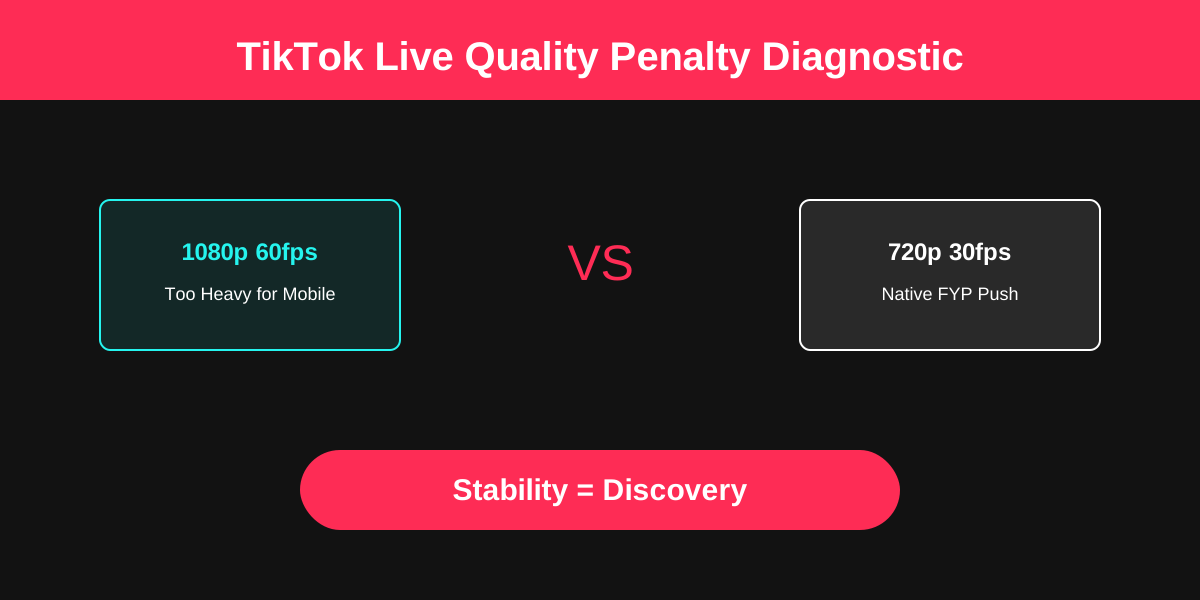
Understanding the 'High Quality Trap' on TikTok Live: Why your 1080p stream might be invisible to the algorithm.
Source discussion: "Algorithm not pushing my stream or stream quality penalty? I'm at 1080p 60fps and getting 0 views." — r/TikTokLive
TL;DR
TikTok doesn't have a manual "quality penalty" button, but it does have Ingest Trust Signals. If your stream is too "heavy" (high bitrate/resolution) for the mobile-first ingest server, the algorithm stops pushing you to the FYP to prevent user buffering. To fix it, drop to 720p30 at 4000kbps with a 2s Keyframe Interval to regain the algorithm's "Stability Trust."
The "High Quality" Paradox on TikTok Live
It’s the most common trap for experienced streamers moving from Twitch to TikTok: Thinking that better quality equals more views.
On TikTok, the opposite is often true. Because 99% of your viewers are on mobile devices (often on cellular data), a high-bitrate 1080p stream is a liability. If the algorithm detects that your data stream is "stuttering" or causing buffering for a test group of 5 viewers, it will immediately kill the push to the next 500.
This is what creators call a "Quality Penalty," but it's actually just a technical safety protocol.
Diagnostic: Is it a Penalty or a Bottleneck?
Before you blame the algorithm, you need to identify where the signal is breaking. Use this diagnostic path to find the root cause:
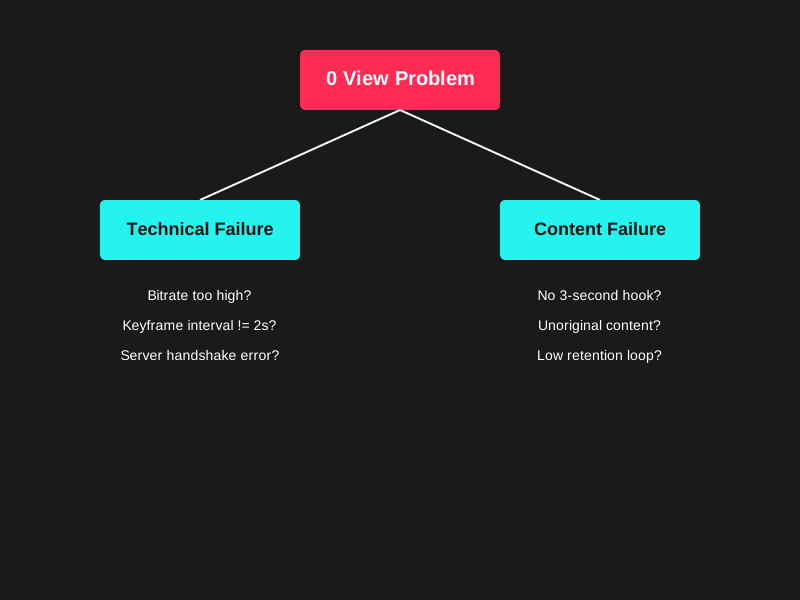
TikTok Live Quality Diagnostic Tree: Determining if the 0-viewer issue is due to technical ingest failure or content retention issues.
Note: Most "0 viewer" issues are either technical handshake failures or the content failing the first 3 seconds of the retention test.
3 Reasons Your "HD" Stream Gets 0 Views
1. The Bitrate "Red Line"
TikTok's ingest servers are optimized for mobile consumption. When you push 8,000kbps or higher, you're pushing the limits. If a viewer's connection can't keep up, the algorithm detects "Viewer Drop (Technical)" and assumes your stream is broken.
- Fix: Stick to 3000 - 5000kbps. Stability is more important than pixel-perfection.
2. Resolution Scaling Issues
On a 6-inch phone screen, 1080p has diminishing returns. However, the processing power required to decode it is high. If your stream causes a viewer's phone to heat up or stutter, they swipe away instantly.
- Fix: Switch to 720p. It feels "native" to TikTok Live and is much more reliable for triggering FYP pushes.
3. Keyframe Handshake Failure
This is the silent killer. If your Keyframe Interval isn't set to exactly 2 seconds, TikTok's "Slicer" (the tech that turns your live feed into FYP clips) can't find the start of video segments.
- Result: You are live, but invisible to the FYP recommendations.
Action Checklist: Algorithm Reset
If your views are stuck at zero, run these settings for your next three streams to "reset" your quality score:
- Resolution: 720x1280 (Vertical) or 1280x720 (Horizontal)
- Frame Rate: 30 FPS (Better for mobile delivery than 60 FPS)
- Bitrate: 4000kbps CBR (Constant Bitrate)
- Keyframe Interval: 2s (Mandatory)
- Encoder Preset: 'Faster' or 'Very Fast' (Don't overload the encoder)
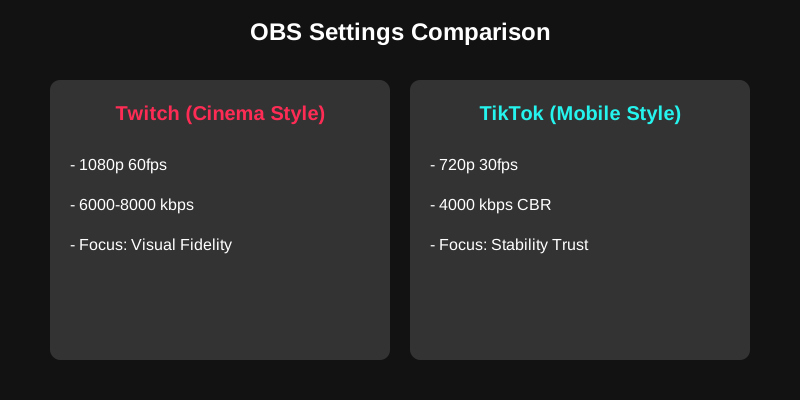
OBS Settings Comparison: The difference between "Stability" settings for TikTok and "Quality" settings for Twitch.
FAQ
Q: Is there a "Shadowban" for high quality? A: No. It's a "Stability Ban." If your stream is too heavy to load, TikTok won't show it. It’s a business decision to save bandwidth and improve user experience.
Q: Can I go back to 1080p later? A: Yes, once you have a stable audience and high "Account Authority," but for discovery (0-100 viewers), 720p is the king of the FYP.
Q: Does TikTok Live Studio work better than OBS? A: Not necessarily. It uses the same ingest servers. The settings (bitrate/keyframes) matter more than the software.
Practical Conclusion
Stop chasing "Twitch Quality" on a mobile platform. TikTok is a discovery engine, not a cinema. Feed the algorithm clean, lightweight, and stable data, and it will reward you with the FYP push you're looking for.
Stability is the ultimate SEO for TikTok Live.