
- Published on
Fixing Low Watch Time on TikTok Live Gaming: The 5-Minute Barrier (2026)
- Authors

- Name
- Robin
- Core Pain Point: Good view counts but "average watch time" is only a few seconds, with viewers leaving instantly upon joining.
- Search Intent: Increase TikTok Live watch time, livestream retention optimization, fix instant viewer exit.
- Key Conclusion: The 5-minute watch time is the threshold for algorithm distribution. Retention failure usually stems from "information gaps" or "technical friction." You must implement "60-second context reset" scripts (continuously explaining what you're doing), troubleshoot technical issues like audio-video desync, and maintain "stream of consciousness" commentary to eliminate awkward silences, ensuring viewers find a reason to stay within the first 3 seconds of landing.
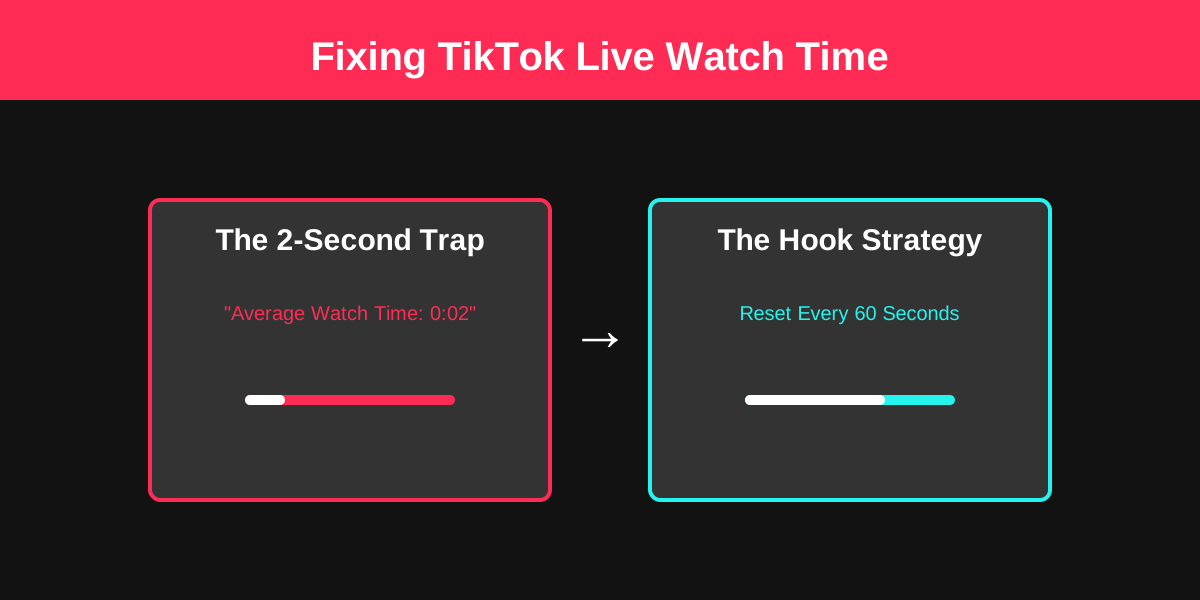
Stopping the swipe: How to hook viewers in the first 3 seconds of a TikTok Live stream.
Introduction
It’s the most demoralizing stat in the TikTok Live Studio dashboard. You see "Total Viewers: 500," but then you look at "Average Watch Time: 0:02."
You spent an hour setting up your lighting, your overlays are perfect, and you're playing a top-tier game. So why is everyone leaving before they even hear you speak?
On TikTok, the "Live Feed" is a high-speed slot machine. Viewers aren't choosing to watch you; they are landing on you. If you don't give them a reason to stop their thumb in the first 1.5 seconds, they are gone forever. Here is how to diagnose and fix the "Instant Swipe."
1. The "Interaction Gap" (The 60-Second Rule)
The biggest mistake creators make is treating a Live like a YouTube video. You might be saying something incredibly interesting at the 5-minute mark, but the person who just swiped into your room at the 6-minute mark has no context.
If they land on you and you're silently looking at your monitor, or mid-sentence in a long story they don't understand, they leave.
The Fix: The 60-Second Reset
You must "reset" your room every 60 seconds.
- What are you doing? (e.g., "We're trying to beat this boss with zero hits.")
- Why should they care? (e.g., "If I fail, I have to reset the whole run.")
- Who are you? (e.g., "I'm [Name], we do high-stakes gaming every night.")
2. Technical Friction (The Silent Killer)
Sometimes viewers want to stay, but your stream is physically painful to watch. TikTok’s mobile app is extremely sensitive to bitrate and audio levels.
If your stream has:
- Audio Desync: Your mouth moves, then the sound follows 2 seconds later.
- Low Volume: They can’t hear you over the game music.
- Micro-Stutter: The video looks like a slideshow.
Viewers won't troubleshoot for you; they will just swipe to the next creator who has a smooth feed.
3. The "Ghost Town" Effect
TikTok viewers are social creatures. If they enter a room and see 0 comments and a streamer who isn't talking, they feel awkward. It’s like walking into a party where no one is speaking.
The Fix: Talk to the "Lurkers"
Even if your chat is dead, you must keep a "stream of consciousness" going. Talk about your gameplay, your day, or the news. This creates a "wall of sound" that makes a new viewer feel like they are entering an active environment, not a graveyard.
Visualizing the Retention Funnel
This diagram shows where you are losing people and what to change at each stage.
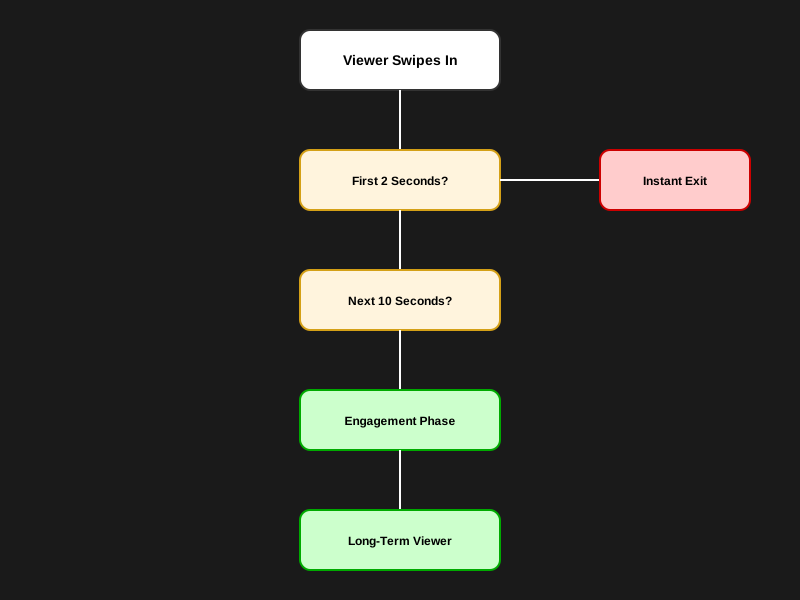
TikTok Live Retention Funnel: Analyzing causes and solutions for viewer loss at different stages.
Why This Changes Decisions
Most creators focus on Stage G (keeping people for an hour). But if your average watch time is only 2 seconds, your problem is at Stage B. You don't need "better content"; you need stronger visual and audio hooks.
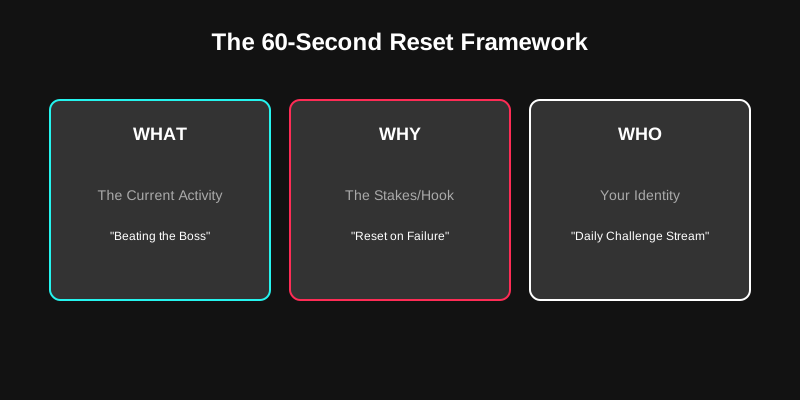
60-Second Context Reset Framework: Ensuring new viewers immediately understand the current stream content and develop interest.
Retention Funnel Analysis
This flowchart illustrates the multi-stage filter every viewer passes through.
- What it shows: Three critical drop-off points: the 2-second swipe, the 10-second technical check, and the 60-second context reset.
- Common Misconception: Creators often think they need "better content" (Stage G) to fix stats, while the real bottleneck is often "audio-visual clarity" (Stage D).
- Decision Shift: Instead of buying a new game to "increase fun," prioritize fixing OBS sync offsets or the volume ratio between your voice and the game.
Banner Concept: The Instant Swipe
Visual: A first-person view of a thumb mid-swipe on a smartphone. The screen shows a streamer in a dark room with a "Low Connection" icon.
- What it shows: The split-second decision-making process of a TikTok viewer.
- Common Misinterpretation: That viewers leave because they don't like you. In reality, they leave because the environment feels stagnant or broken.
- Decision Change: Focus on bright lighting and clear on-screen text so the "Swipe" stops before it starts.
Actionable Checklist: 5 Minutes to Higher Watch Time
- The "Clap Test": Record your live on your phone. Clap. Is the audio and video perfectly synced? If not, fix your OBS offset.
- Volume Check: Is your voice at least 2x louder than the game? It should be.
- Visual Hook: Put a "Goal" or "Challenge" text overlay on your screen. Give them something to read immediately.
- Reset the Room: Set a timer if you have to. Every minute, explain what's happening.
- Check "FYF" Settings: Ensure you aren't accidentally set to "Age Protected" if you don't need to be, which can limit who stays.
FAQ
Q: Is it my shadowban causing low watch time? A: No. A shadowban limits views (how many people land on you). If people are landing on you but leaving instantly, that is a retention problem, not an algorithm problem.
Q: Does my lighting matter? A: Yes, but only for the "Swipe Stop." If your room is dark and grainy, you look "unprofessional" in the split-second swipe, making people less likely to pause.
Q: Should I use a facecam? A: For TikTok Live, yes. It is a personality-driven platform. Viewers connect with faces far faster than they connect with gameplay.
Conclusion
Low watch time is a signal, not a sentence. It tells you that the "bridge" between someone swiping and someone staying is broken. By fixing your technical friction and mastering the "60-second reset," you can turn those 2-second bounces into 20-minute fans.
Stop waiting for the algorithm to "save" you. Save your own stream by hooking the next viewer.