
- Published on
Managing TikTok Live While Gaming Feels Overwhelming? The 'No Alt-Tab' Fix (2026)
- Authors

- Name
- Robin
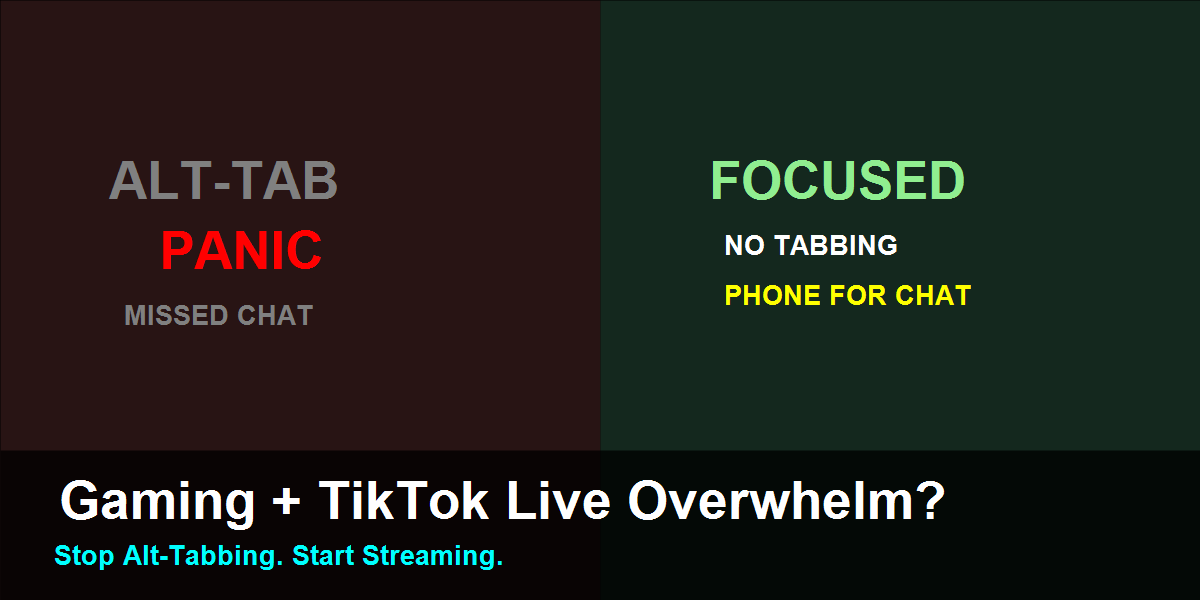
If your stream feels like a panic attack between game and chat, you're doing it wrong. Here is the physical fix.
The "Alt-Tab" Death Loop
You are in a clutch 1v1 situation. Suddenly, your phone buzzes or you hear the "New Follower" alert.
Your brain splits in half.
- Do I look? If I look, I might miss the enemy.
- Do I ignore it? If I ignore it, I'm a "bad streamer" who ignores their chat.
So you panic. You hit Alt-Tab to check TikTok Live Studio. Your game minimizes or freezes for a second. You read "hi". You Alt-Tab back.
You are dead.
This cycle repeats every 3 minutes until you turn off the stream in frustration. This isn't a "skill issue"—it's a layout issue.
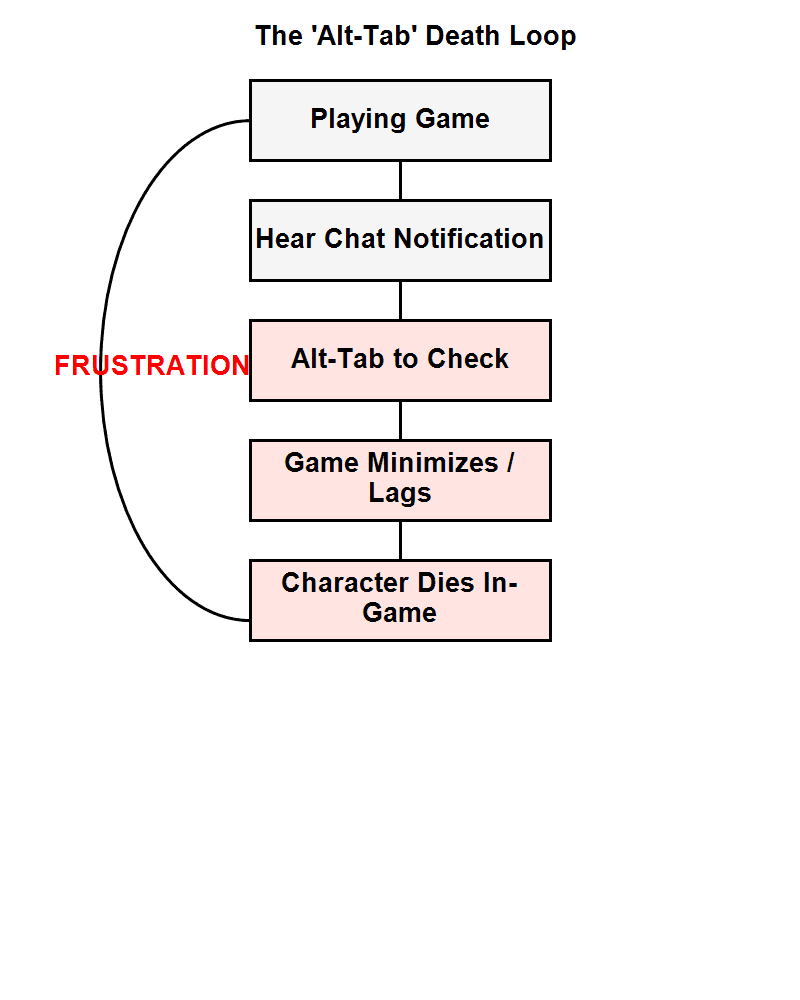
The cycle of frustration that kills single-monitor streams.
Why Overlays Are Not The Answer
Most new streamers try to solve this with software. They look for "Game Overlay" plugins or "Transparent Chat" windows.
Here is why that fails on TikTok Live:
- Screen Real Estate: TikTok Live Studio overlays are clunky. They block your ammo count, minimap, or health bar.
- Focus Splitting: Reading text on top of your game creates cognitive load. You can't see the enemy through the text.
- Input Lag: Every overlay adds a rendering hook that can introduce micro-stuttering to your game.
You don't need more software. You need hardware separation.
The Fix: The "Physical HUD" Strategy
The most robust fix for single-monitor streaming costs exactly 10 for a stand.
Instead of fighting for pixels on your monitor, you outsource the stream management to a secondary device.
1. The Game Screen (Monitor)
- Role: Gameplay ONLY.
- Mode: Full Screen (Exclusive).
- Distractions: Zero. No chat overlay, no alert popups.
- Why: Your brain needs to treat this screen as "The Game", not "The Dashboard".
2. The Chat HUD (Phone)
- Role: Interaction.
- Setup: Place it on a stand directly under your monitor or to the immediate side.
- App: Open your own stream on TikTok (mute audio) OR use the TikTok Creator tools on mobile.
- Why: Glancing down at a phone is natural. It's how we check text messages. It doesn't require Alt-Tabbing. It doesn't pause the game.
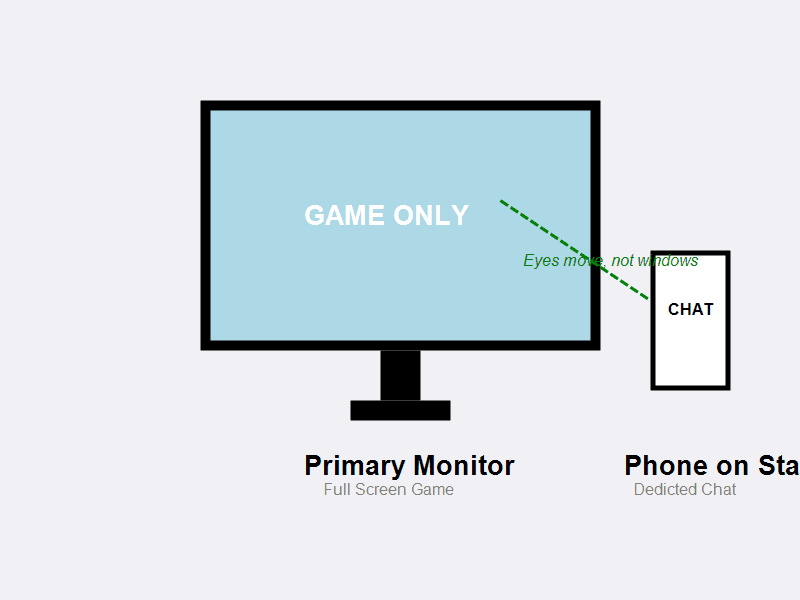
Hardware separation allows your eyes to move without your hands leaving the controls.
Step-by-Step Setup
Here is how to configure this tonight:
- Get a Phone Stand: It doesn't have to be fancy. Lean it against a coffee mug if you have to. It must be upright and facing you.
- Positioning: Put it as close to your monitor bezel as possible. The goal is to move your eyes, not your head.
- TikTok Live Studio (PC):
- Minimize it. Yes, minimize it. You don't need to look at it while playing.
- Ensure "Stream Status" is green before you minimize.
- Your Phone:
- Open TikTok.
- Go to your own profile -> Click your Live picture.
- MUTE THE AUDIO (Critical, or you will hear an echo).
- Tap the screen to hide interface elements if possible, or just focus on the chat scrolling.
The Mental Shift
The overwhelm comes from trying to be a "Producer" and a "Player" on the same screen.
By moving the "Producer" tasks (chat, alerts) to the phone, you physically separate the anxieties.
- Monitor: I am a gamer. I kill bad guys.
- Phone: I am a host. I say hello to chat.
When the game gets intense, ignore the phone. That is the rule. Real viewers understand that you can't read chat while defusing a bomb. Catch up on the phone during the respawn timer or lobby wait.
FAQ
Can't I just use a second monitor?
If you have one, yes! But even then, keep the game on one and everything else on the other. Do not mix them.
What if I need to change scene in OBS/TikTok Studio?
Set up Hotkeys. Buy a cheap numpad or use Ctrl+F1, Ctrl+F2. Do not Alt-Tab to click buttons.
My phone battery dies fast!
Plug it in. This is a permanent part of your "rig" now.
I miss alerts if I don't hear them!
Keep the alert sound on your PC (in your headphones), but look at the Phone to see who followed. Do not look at the PC stream software.
Conclusion
You don't need a 4-monitor NASA setup to stream on TikTok. You just need to stop Alt-Tabbing.
Delegate the "chat" responsibility to your phone. Let your PC do what it does best: run the game at high FPS. Your stress levels will drop immediately.