
- Published on
Minimal OBS Settings That Actually Work for TikTok Live Gaming (2026)
- Authors

- Name
- Robin
Minimal OBS Settings That Actually Work for TikTok Live Gaming (2026)
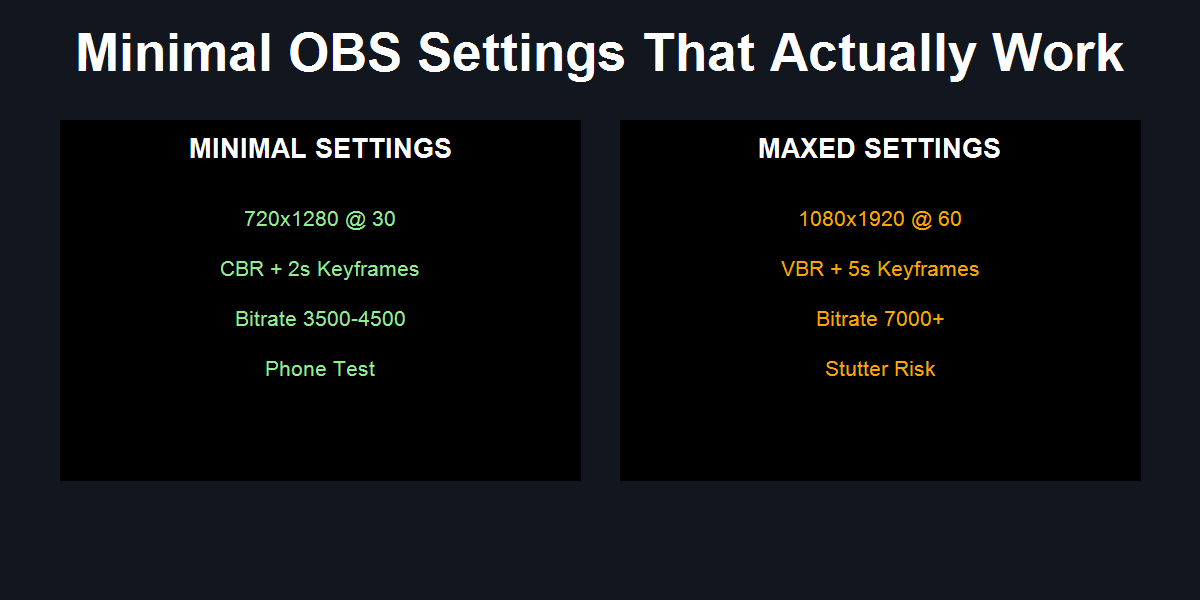
Caption: A minimal settings profile beats maxed presets for TikTok Live stability during gameplay.
If you want TikTok Live gaming to stay stable, stop hunting for “best” settings. Use a minimal profile that keeps the encoder calm and the ingest happy.
Minimal baseline:
- 720x1280 at 30 FPS
- CBR + keyframes = 2
- Bitrate 3500–4500 Kbps
- Hardware encoder if available
- Phone playback test before you change anything
The r/OBS Pain: “Why do I have to tweak settings every stream?”
The most common TikTok Live gaming thread is simple: someone copies a high-end OBS preset, goes live, and suddenly the stream looks worse than their preview. The fix isn’t more tweaks. It’s fewer moving parts.
TikTok Live is far less forgiving than Twitch. The ingest expects a steady, boring signal. If your settings create bitrate spikes or encoder strain, TikTok will punish you with blur or stutter even when OBS preview looks clean.
The Minimal Settings Flow (Fix-Oriented)
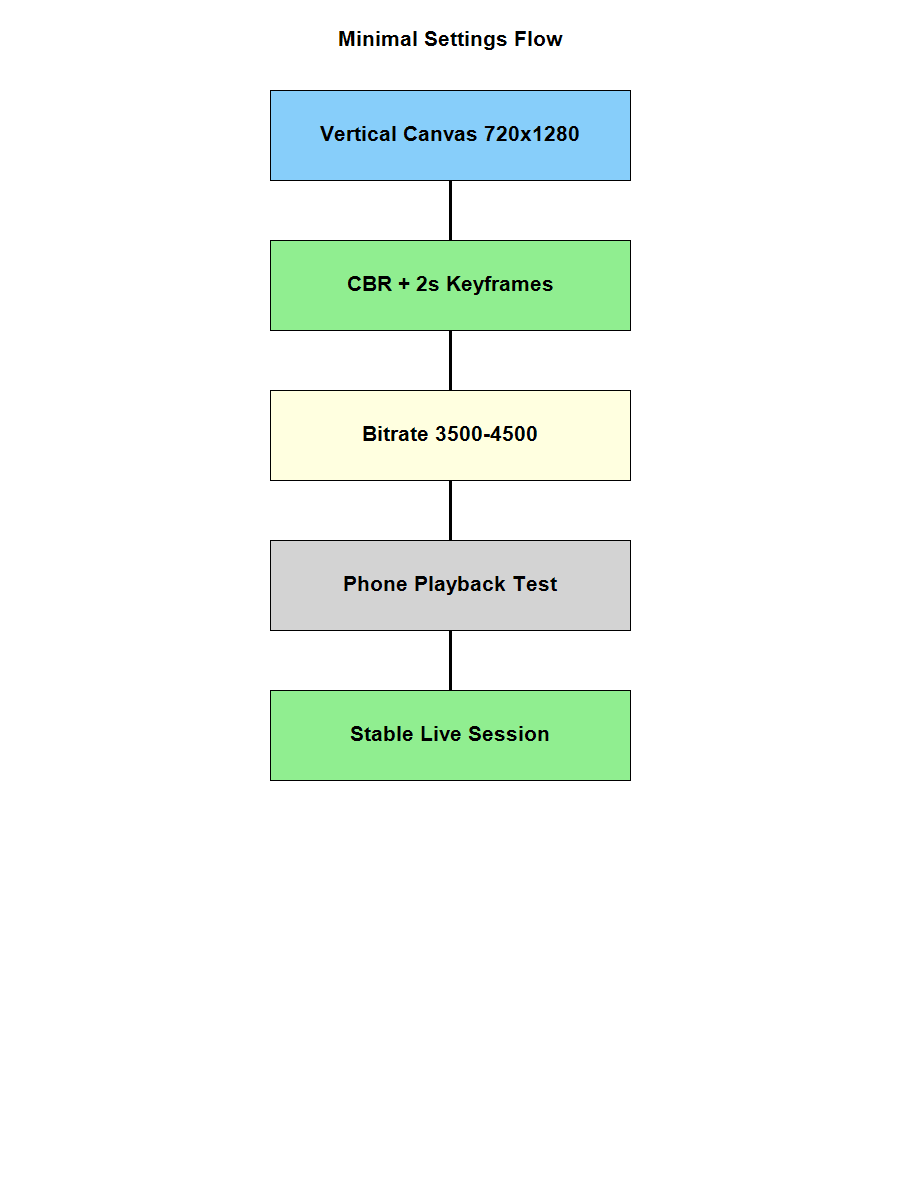
Caption: This flow shows the minimum chain that produces stable TikTok Live gaming. The common misattribution is thinking more options = more quality, but stability comes from fewer variables.
Minimal Profile (What to Set and Nothing Else)
This is the smallest profile that consistently survives real gameplay.
Video
- Base (Canvas): 1080x1920
- Output (Scaled): 720x1280
- FPS: 30
Output
- Output Mode: Advanced
- Rate Control: CBR
- Bitrate: 3500–4500 Kbps
- Keyframe Interval: 2 seconds
- Encoder: NVENC / Quick Sync / AMF (hardware encoder if available)
Audio
- Sample Rate: 48 kHz
- Audio Bitrate: 160 Kbps
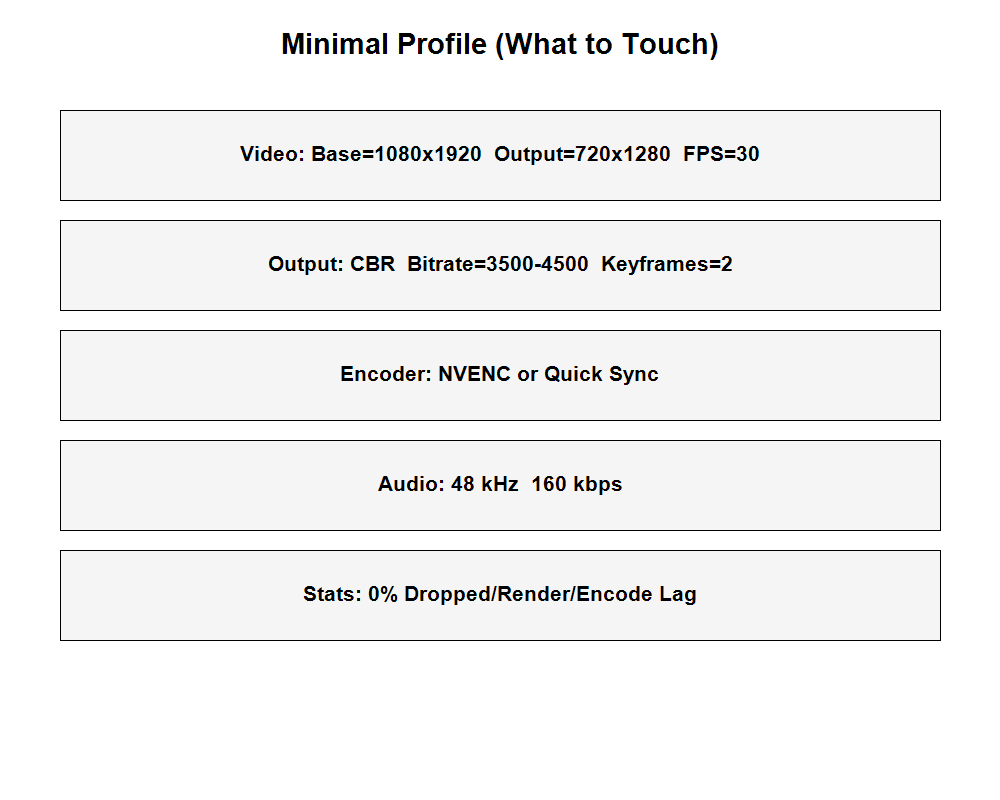
Caption: The minimal profile shows only the settings that prevent blur, stutter, and sync drift. Everything else is optional.
Why Minimal Works on TikTok (and Maxed Settings Don’t)
TikTok Live is built for mobile bandwidth and fast scroll behavior. That means your stream gets reshaped by the ingest pipeline. When you push 1080p60 with high bitrate, the ingest has to compress aggressively. The result is often worse than a clean 720p30 feed.
Minimal settings reduce:
- Bitrate spikes from motion-heavy games
- Encoder overload on single-PC setups
- Rescaling artifacts from mismatched canvas/output
The platform rewards consistency, not “best possible numbers.”
Common Failure Modes (Even With Good Settings)
- Uncapped game FPS: Your GPU gets eaten by the game, OBS gets leftovers, encoding lags.
- Browser sources stacking: Each widget adds GPU load and memory spikes.
- Unstable upload: High speed with jitter still breaks TikTok Live.
- No phone test: OBS preview is local and hides the real playback damage.
Actionable Checklist
- Use the minimal profile for one full session
- Cap your game FPS to keep GPU headroom
- Disable non-essential browser sources
- Verify 0% dropped/encode/render lag in OBS Stats
- Watch the stream on a phone over cellular
FAQ
Should I ever move to 1080p60?
Only after the minimal profile stays clean for multiple sessions and your phone test shows no artifacts in fast motion.
Is 3500–4500 Kbps too low?
No. On TikTok Live, a steady 4 Mbps stream looks better than an unstable 8 Mbps stream.
Does x264 look better than NVENC?
Maybe, but for gaming on one PC, hardware encoding usually keeps the stream stable. Stability beats marginal quality gains.
Why does my OBS preview look perfect but TikTok looks worse?
Preview is local. TikTok shows the encoded and ingested version after compression and mobile playback.
Practical Conclusion
If you want TikTok Live gaming that works every time, make your setup boring. Minimal settings are not “lower quality.” They are the only settings that survive real gameplay without the stream falling apart.