
- Published on
Stream Delay Issues Specific to TikTok Live: Why It Feels Worse (2026)
- Authors

- Name
- Robin
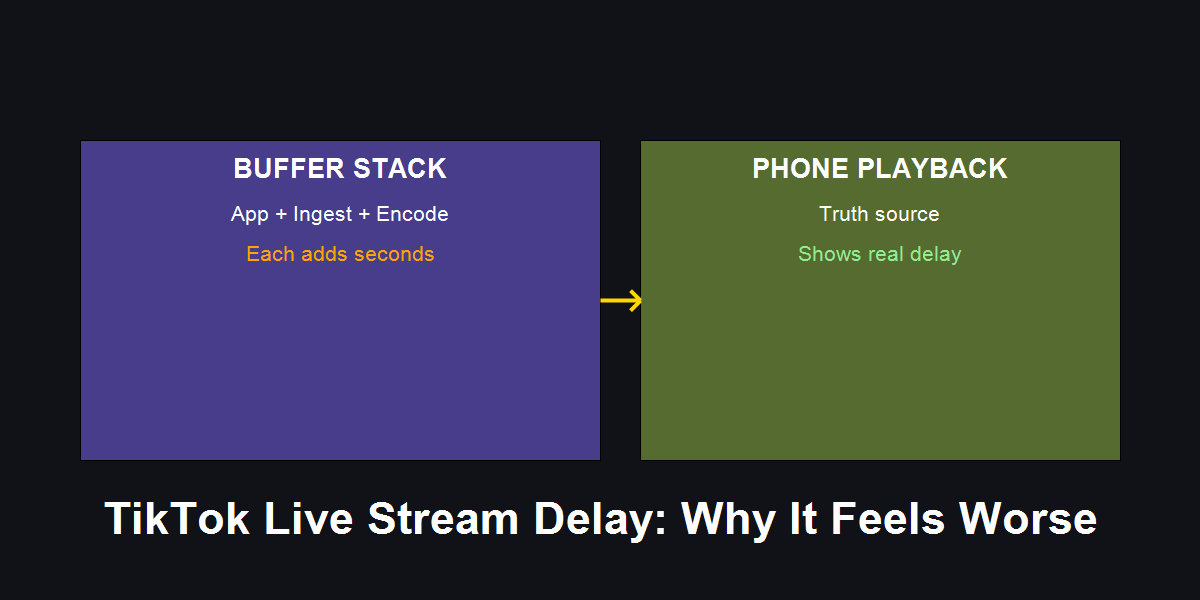
TikTok feels worse because it stacks buffers across app, ingest, and mobile playback.
Core Pain
Your TikTok Live is 10–30 seconds behind, even when Twitch looks fine. Chat feels out of sync and interaction dies.
Search Intent
Stream delay issues specific to TikTok Live, TikTok Live latency fix, why TikTok delay is worse.
Key Conclusion
TikTok delay is usually a buffer stack problem. Measure real delay with a phone clock test, then simplify pipeline and stabilize upload.
- The TikTok Latency Stack
- Measure the Real Delay (Phone Clock Test)
- Diagnosis Matrix: Symptom → Cause → Fix
- TikTok-Specific Fixes That Actually Work
- Actionable Checklist
- FAQ
- Practical Conclusion
Introduction
r/TikTokLive is full of the same complaint: “My stream is smooth, but it’s 15–20 seconds behind.” The usual fixes (“set CBR,” “lower bitrate”) help, but they rarely explain why TikTok is worse than other platforms.
TikTok’s latency stack is different. It favors smooth playback on unstable mobile networks, which means it is willing to add buffering. That buffering is invisible to OBS, which is why checklists don’t solve it.
The TikTok Latency Stack
TikTok delay is rarely caused by a single setting. It is the sum of three layers:
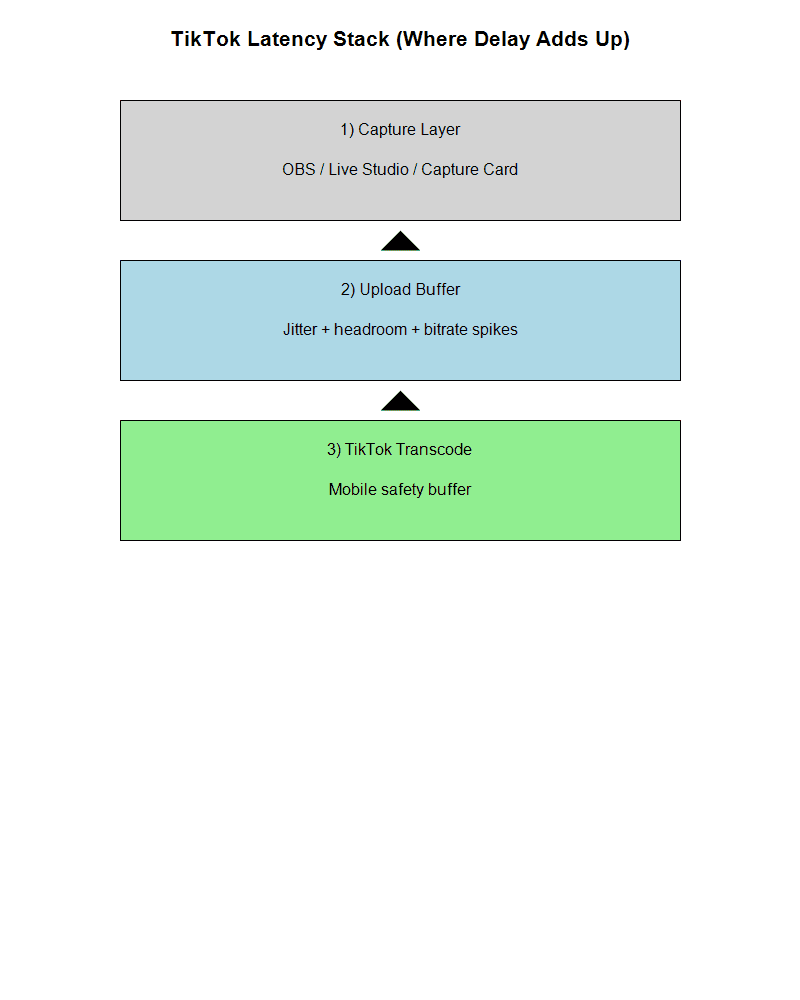
Three layers stack together: capture layer, upload buffer, and TikTok transcode safety.
Layer 1: Capture Chain
OBS → Live Studio → TikTok adds a second encode step. Each step adds buffer. The more software between you and TikTok, the more delay you stack.
Layer 2: Upload Buffer
TikTok buffers hard when your upload jitter spikes, even if your speed test is high. Jitter forces extra safety buffer.
Layer 3: Mobile Transcode
TikTok optimizes for mobile users on weak networks. It trades delay for stability. That is why TikTok can feel “worse” than Twitch.
Measure the Real Delay (Phone Clock Test)
Before changing settings, measure the delay:
- Open a digital clock with seconds on your stream device.
- Go live.
- Watch from a phone on cellular.
- Compare the seconds.
If your delay is 2–6s, you are normal.
If your delay is 10–30s, you have a stack problem.
Diagnosis Matrix: Symptom → Cause → Fix
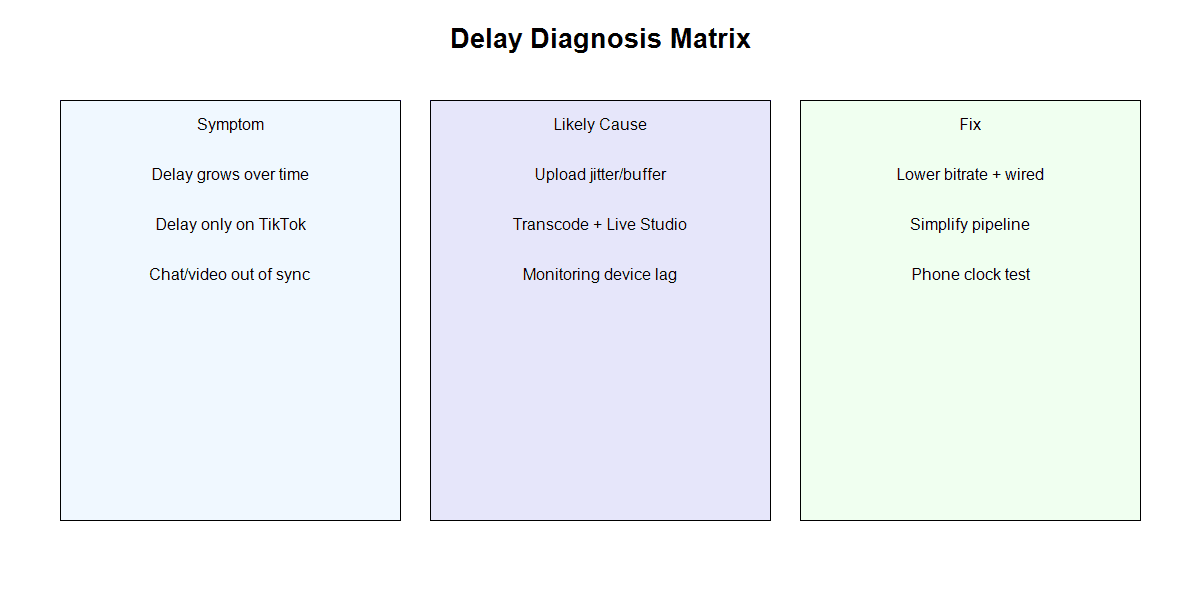
Use symptoms to pinpoint which layer is adding delay, then fix only that layer.
Delay grows over time
- Cause: Upload jitter builds buffer.
- Fix: Lower bitrate by 20–30%, go wired, limit background uploads.
Delay only on TikTok
- Cause: TikTok transcode + Live Studio re-encode.
- Fix: Simplify pipeline. Use stream key if you have it. Avoid OBS → Live Studio chain.
Chat and video out of sync
- Cause: Monitoring device lag.
- Fix: Use the phone clock test, not the desktop preview. Stick to one monitoring device.
TikTok-Specific Fixes That Actually Work
Wired connection is non-negotiable
TikTok reacts harder to jitter than Twitch. Wi‑Fi spikes = buffer growth.Lower bitrate before lowering resolution
If delay is high, the buffer is likely in upload. Drop bitrate first, then test.Simplify the chain
Every extra app adds buffer. If possible, go OBS direct to stream key.Short test streams
Delay creep shows up after 10–20 minutes. Do a 15‑minute test to confirm fixes.
Actionable Checklist
- Run phone clock test and write your delay number
- Go wired and retest
- Drop bitrate 20–30% and retest
- Remove Live Studio from the chain if possible
- Keep a single monitoring device for chat feedback
FAQ
Q: Is TikTok delay “normal”?
A: 2–6 seconds is normal. Anything above 10 seconds is a buffer stack problem.
Q: Why does TikTok delay get worse than Twitch?
A: TikTok uses heavier transcode buffers to protect mobile viewers on bad networks.
Q: Does lowering FPS help delay?
A: Sometimes. It reduces encoding load, which can reduce buffer buildup if your GPU is near limit.
Practical Conclusion
TikTok Live delay is not just “bad settings.” It is a stack of buffers across capture, upload, and mobile playback. Measure real delay with a phone test, then remove one buffer layer at a time. Once you stabilize at 2–6 seconds, interaction becomes possible again.