
- Published on
Does Encoder Type Really Change TikTok Live Performance? (x264 vs NVENC 2026)
- Authors

- Name
- Robin
TL;DR
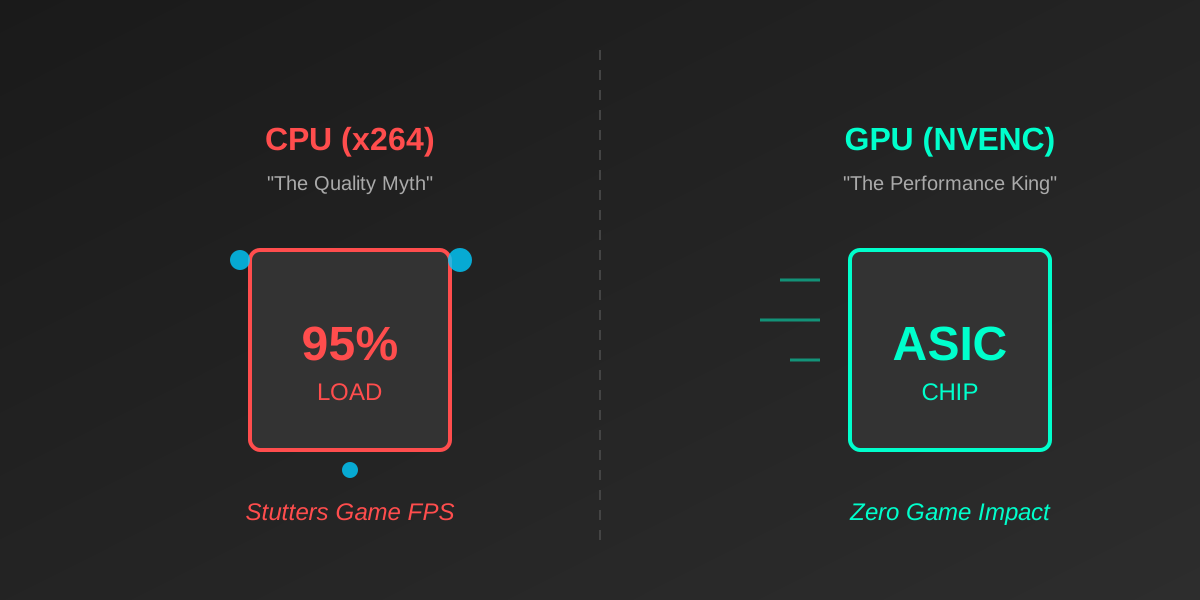
Stop listening to 5-year-old guides. For TikTok Live (vertical, mobile-first), NVENC (GPU) is superior to x264 (CPU) for 99% of single-PC streamers. The visual quality difference at TikTok's bitrate cap is invisible, but the performance cost of x264 is massive.
The "x264 is Better" Myth
Go to r/OBS, and you'll see people arguing that x264 (CPU encoding) looks "cleaner" than NVENC (GPU encoding).
Historically, this was true. In 2018 (Pascal era), NVENC was blocky. But in 2026 (Ada/Blackwell era), the gap has closed. Yet, streamers still burn their CPUs trying to run x264 "Medium" preset, causing their game to lag, all for a 1% quality increase that no one on a phone screen can see.
The Bottleneck: Where Your Encoder Lives
To understand why your stream lags, you need to know where the encoding happens.
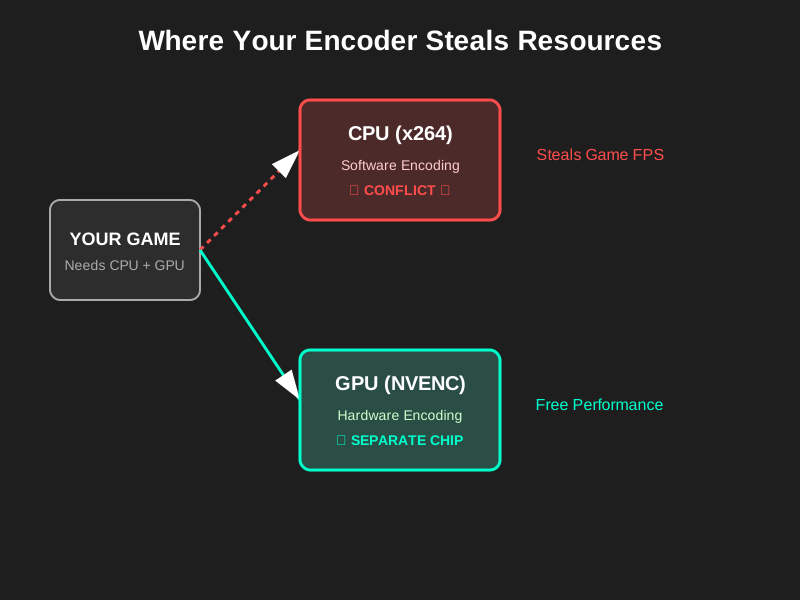
x264 (The CPU Hog)
- How it works: Uses your CPU to analyze every frame.
- The Conflict: Modern games (Warzone, Valorant, Apex) are incredibly CPU-heavy for physics and high framerates.
- The Result: If your CPU hits 100%, OBS fights the game for resources. This causes Encoding Overload (skipped frames) or Input Lag in your game.
NVENC (The Magic Chip)
- How it works: Uses a dedicated physical chip (ASIC) on your NVIDIA card.
- The Benefit: This chip does nothing else. It sits idle when you game. Using it costs you effectively 0 FPS.
- The Result: Smooth stream, smooth game.
The "TikTok Variable": Why Quality Doesn't Matter (As Much)
This is the part "Best Settings" guides miss. TikTok Live is not Netflix.
- Bitrate Cap: TikTok caps you around 6000-8000 kbps.
- Screen Size: Viewers are watching on 6-inch phones, not 65-inch TVs.
- Viewing Distance: The phone is 12 inches from their face.
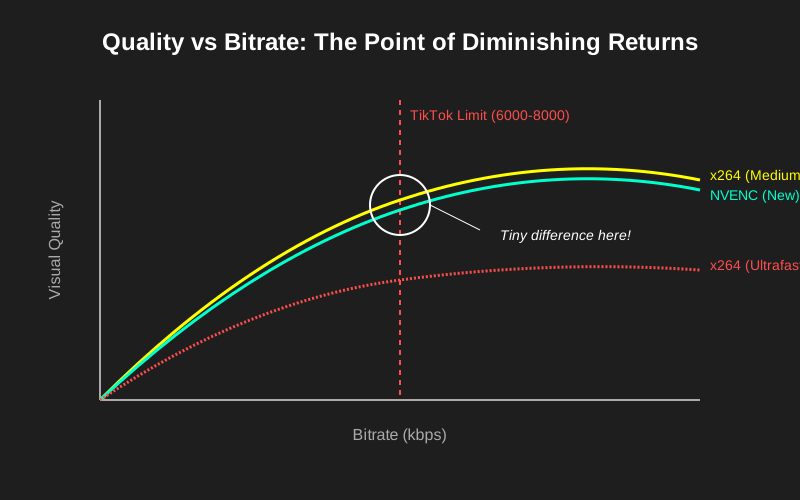
Caption: At 6000 kbps, the visual difference between an expensive x264 preset and standard NVENC is indistinguishable to the human eye on a mobile device.
Comparison: Which Should You Choose?
| Encoder | Pros | Cons | Verdict for TikTok |
|---|---|---|---|
| NVENC (H.264) | Zero performance hit, great quality on modern cards (20-series+). | Requires NVIDIA GPU. | WINNER (Standard) |
| x264 (Fast/Medium) | Slightly better at low bitrates (theoretically). | Destroys CPU performance. Causes micro-stutters. | AVOID (Unless Dual PC) |
| x264 (Ultrafast) | Low CPU usage. | Terrible quality (blocky/pixelated). | AVOID |
| AMD HW (AMF) | Low performance hit. | Historically worse quality than NVENC, but fine for TikTok. | USE (If no NVIDIA) |
| QuickSync (Intel) | Efficient, uses iGPU. | Complicated to set up for some. | GOOD ALTERNATIVE |
The Only Time You Should Use x264
There is one scenario where x264 wins:
- Scenario: You have a dedicated "Streaming PC" (Dual PC Setup) with a powerful CPU (Threadripper/Ryzen 9) that is doing nothing but encoding.
- Why: You can push the preset to "Slow" or "Slower" to squeeze every drop of quality out of the 6000 kbps limit.
If you are gaming and streaming on the same PC, using x264 is a mistake.
Summary Checklist
- Check your GPU: If you have an NVIDIA card (GTX 1660 or newer), select NVIDIA NVENC H.264 (New).
- Check your Rescale: Do NOT rescale in the "Output" tab (this uses CPU). Rescale in the "Video" tab (Base vs Output Resolution).
- Rate Control: Set to CBR (Constant Bitrate).
- Bitrate: 6000 kbps.
- Keyframe Interval: 2s.
Stop chasing the "perfect" pixel. Viewers leave because of lag (dropped frames), not because they saw a compression artifact for 0.5 seconds. Smoothness > Perfection.